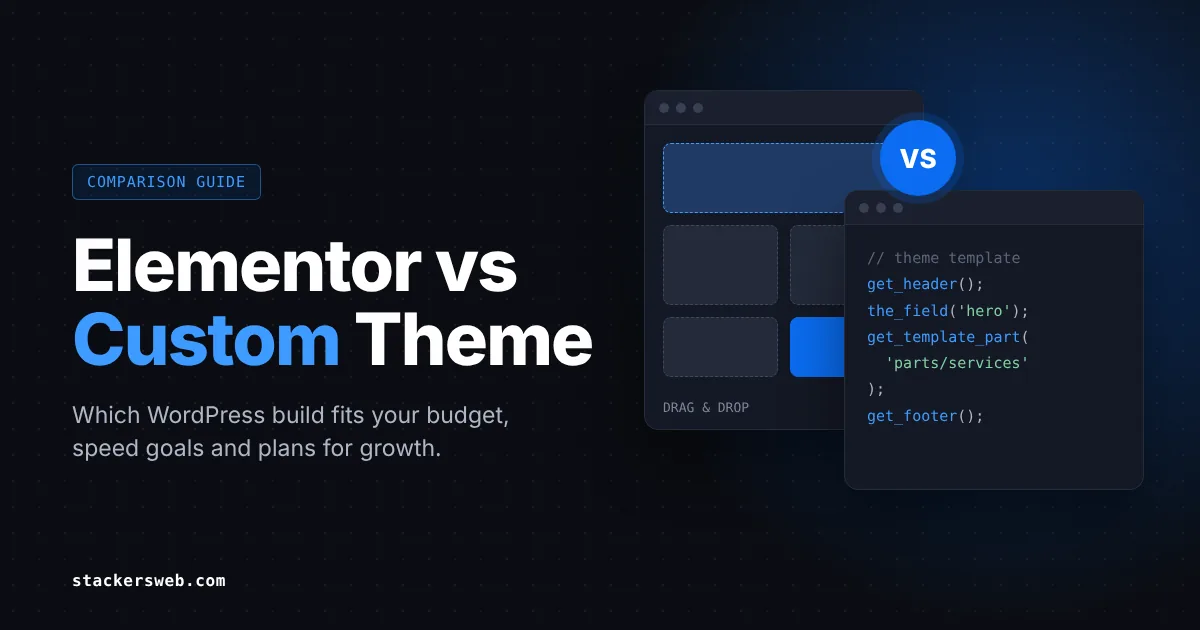
Quick answer: Elementor is usually better when you need a site fast, on a smaller budget, and want to edit page layouts yourself. A custom WordPress theme is usually better when speed, a precise design, long-term growth and fewer plugin dependencies matter more. Many businesses do well with either, as long as the site is built with care.
You are planning a new website and one developer says “we will build it in Elementor” while another says “we only do custom themes.” Both sound confident, and both say their way is better. This guide settles the Elementor vs custom theme question in plain terms, so you can pick the right build for your business, not the one a developer happens to prefer.
We build sites both ways at Stackers Web. We use Elementor Pro on many projects and write custom themes on others, so we have no reason to push one side. The honest answer depends on what your site has to do.
What is the difference, in simple terms?
Elementor is a page builder plugin for WordPress. You or your developer drag sections, text, images and buttons onto a page and see the result live. Elementor Pro adds a Theme Builder, so headers, footers, blog layouts and other templates can also be designed visually.
A custom theme is code written for your site only. A developer turns your design into PHP templates, CSS and a small amount of JavaScript. Content is edited in the normal WordPress editor (Gutenberg), often with custom fields built with ACF, so your team fills in clear boxes instead of moving layout blocks around.
Both run on WordPress. Both can look great. The difference is in how the site is built, how fast it loads, how easy it is to change, and what it costs over time.
Elementor vs custom theme at a glance
Here is the short version before we go deeper:
| Factor | Elementor | Custom theme |
|---|---|---|
| Build time | Faster | Slower |
| Upfront cost | Lower | Higher |
| Editing layouts yourself | Very easy | Limited to what the developer allows |
| Page speed | Good with care, heavier by default | Usually lighter and faster |
| Design accuracy | Close to the design | Exact match to the design |
| Yearly license | Elementor Pro renewal | None for the theme |
| Switching away later | Hard, layouts depend on the plugin | Content stays in standard WordPress |
When Elementor is the better choice
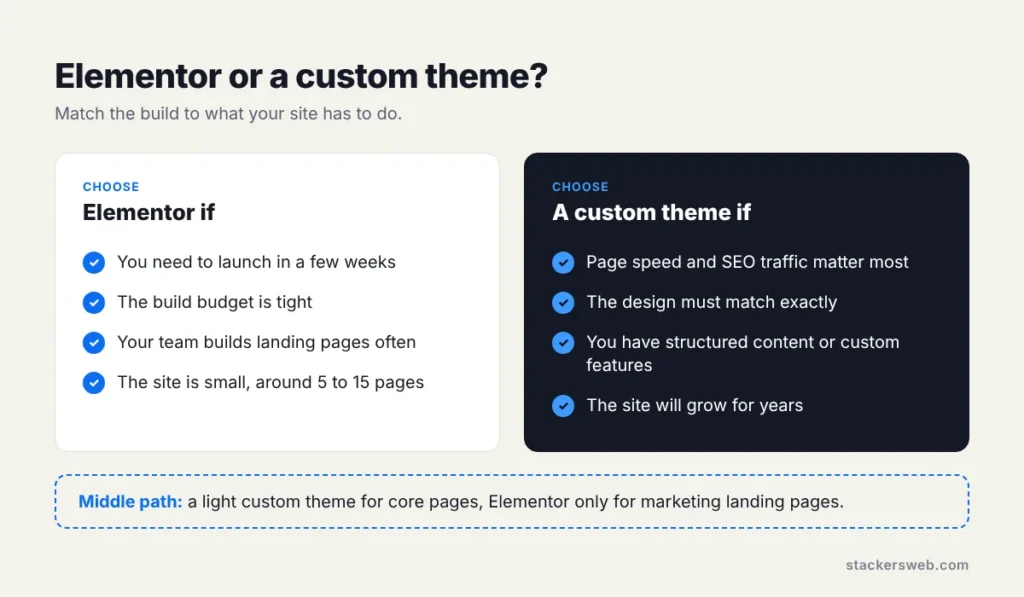
Elementor makes sense in more cases than some developers admit. It is a good fit when:
- You need to launch soon. A builder with a design system and reusable templates gets a site live faster.
- Your budget is limited. Fewer development hours means a lower build price.
- Your marketing team builds landing pages. If you run campaigns and want new pages without calling a developer, Elementor gives you that freedom.
- The site is small. A five to fifteen page service business site rarely needs custom code to perform well.
Keep the running cost in mind. Elementor Pro is sold as a yearly license. On the Elementor pricing page at the time of writing, the Essential plan is $60 a year for one site, but it does not include the Popup Builder, custom CSS or eCommerce features. Those come with the Advanced Solo plan, which renews at $84 a year for one site. Prices change, so check the current page before you buy.
The catch with Elementor
The real problem is not Elementor itself. It is how it gets used. Sites slow down when they stack many add-on packs, heavy sliders, animations on every section and several fonts. Your page layouts are also stored in a format only Elementor can read, so moving away from it later usually means rebuilding pages.
When a custom theme is the better choice
A custom theme takes longer to build, but it pays off when:
- Speed is a priority. The theme loads only the code your site needs, which makes good scores easier to reach.
- The design must be exact. A design from Figma or XD is matched closely, without fighting a builder’s spacing or layout rules.
- You have structured content. Things like team members, locations, listings, case studies or events work well with custom post types and ACF fields.
- The site will grow for years. Clean, versioned code is easier to extend and maintain over a long time.
- Several people edit content. Fixed templates protect the design, so nobody breaks a page by dragging the wrong block.
The trade-off is flexibility. If you want a new kind of page layout later, a developer usually needs to build it. Good custom themes reduce this by using Gutenberg blocks or flexible ACF sections, but you will not have total freedom like a page builder gives.
Speed, cost and long-term upkeep
Speed, SEO and Core Web Vitals
Google uses Core Web Vitals to measure loading speed, how fast a page responds to clicks, and how stable the layout is while it loads. According to web.dev, a good experience means Largest Contentful Paint within 2.5 seconds, Interaction to Next Paint of 200 milliseconds or less, and Cumulative Layout Shift of 0.1 or less.
Can an Elementor site pass these? Yes. We have seen fast Elementor sites and slow custom ones. But a page builder adds extra wrapper markup, CSS and scripts, so it starts with more weight. With a custom theme you start lighter, and it is easier to stay fast as the site grows.
If SEO traffic is a major source of leads for you, the extra speed headroom of a custom theme is worth weighing. If most of your leads come from referrals or ads, a well-built Elementor site is usually fast enough.
Cost over three years
Elementor is usually cheaper to build. A custom theme is usually cheaper to keep. That is the simplest way to think about the Elementor vs custom theme cost question.
- Build: Elementor needs fewer hours, so the first invoice is smaller.
- Licenses: Elementor Pro renews every year, and many sites add paid add-on packs on top. A custom theme has no license.
- Changes: with Elementor you can make many layout changes yourself. With a custom theme, new layouts need a developer.
- Rebuild risk: if a builder site becomes slow or messy, the fix is often a rebuild. Clean custom code is easier to improve step by step.
For a full breakdown of build and running costs, read our guide on how much a WordPress website costs for a small business.
How to decide in five minutes
Answer these questions honestly to settle the Elementor vs custom theme choice for your own site:
- Will your team build new page layouts often? If yes, lean toward Elementor.
- Do you need to launch in a few weeks on a tight budget? Lean toward Elementor.
- Is organic search a main source of customers? Lean toward a custom theme.
- Do you have a detailed design that must match exactly? Lean toward a custom theme.
- Will the site hold a lot of structured content or custom features? Lean toward a custom theme.
There is also a middle path. Some projects use a light custom theme for the main templates and Elementor only for marketing landing pages. This keeps core pages fast while giving your team freedom where they need it.
Frequently asked questions
Is Elementor bad for SEO?
No. Elementor does not stop a page from ranking. Content, structure and speed matter more. Elementor sites can be slower if they are overloaded, so keep add-ons and effects to a minimum.
Can I switch from Elementor to a custom theme later?
Yes, but it is a rebuild of the layouts, not a simple switch. Your posts, pages and media stay in WordPress, but the designs made in Elementor need to be rebuilt as theme templates.
Can I still edit my content with a custom theme?
Yes. A well-built custom theme lets you edit text, images, team members, services and blog posts from the WordPress dashboard. What you usually cannot do is invent brand new layouts without a developer.
Which one do you recommend at Stackers Web?
It depends on the project. For quick, budget-friendly service sites we often use Elementor Pro. For speed-focused, content-heavy or long-term sites we usually recommend a custom theme. We explain the reason on every quote.
Not sure which build fits your business?
Tell us what your site needs to do, and we will tell you honestly whether Elementor or a custom theme fits better, and why. You can look at our recent projects, read about our custom web development work, or contact us to talk about your site.